Bedrock and pydantic-ai with observability from day one
This is the first post in Terraform PR Agent, a series that builds an AI agent which writes Terraform and opens review-ready pull requests, running on AWS Bedrock with pydantic-ai. Later posts add observability, file tools and a validate loop, conventions and policy, evals for choosing a model with numbers, and the guardrails to ship it against a real repo. The posts share one project scaffold, so the prerequisites below are a one-time setup for the whole series.
Prerequisites (one-time setup for the series)
Tooling and AWS access common to every post in this series.
Tooling
- Terraform 1.x (install). Every post provisions infrastructure with Terraform.
- uv for Python project management (install). Each post ships a runnable script you can invoke with
uv run. - direnv (install) so
terraform,uv run, andawspick up AWS credentials automatically oncd. The project scaffold ships an.envrcthat sources a gitignored.envrc.local. - (Optional) A coding agent such as Claude Code, Cursor, Codex, or Gemini CLI to consume the
AgentPromptblocks throughout the series. Not required (each prompt has a manual equivalent shown alongside it), but it skips the boilerplate.
Agent prompt: Check and install missing tooling
You are helping set up tooling for a tutorial project.

For each of `terraform`, `uv`, and `direnv`, run `command -v` to
check whether it is installed. If present, print the version and
continue.

For missing tools, detect the system package manager in this order:
`command -v brew`, `command -v dnf`, `command -v apt-get`. Use the
first one available:

  - Terraform: `brew tap hashicorp/tap && brew install hashicorp/tap/terraform`,
    dnf via the HashiCorp RPM repo, or apt via the HashiCorp deb repo.
  - uv: `brew install uv`, or the official installer
    `curl -LsSf https://astral.sh/uv/install.sh | sh`.
  - direnv: `brew install direnv`, `dnf install direnv`, or
    `apt-get install direnv`.

If no package manager is available or the install fails, stop and
link the manual install page so the developer can finish by hand:

  - Terraform: https://developer.hashicorp.com/terraform/install
  - uv: https://docs.astral.sh/uv/getting-started/installation/
  - direnv: https://direnv.net/docs/installation.html

After installing direnv, do not modify any shell rc files. Print the
hook line for the developer's shell (bash, zsh, or fish) and the path
to the relevant rc file, then wait for them to apply it themselves.

Report which tools were already present, which you installed, and
which need manual follow-up.
AWS access
- A sandbox, test, or personal AWS account with permission to create, modify, and delete the resources discussed in each post. If you don’t have one, follow the official Create Your AWS Account walkthrough (about ten minutes; requires a credit card and a phone number for verification). Treat it as disposable - you can close it from the billing console after the series.
- AWS credentials available locally via
aws configure sso,aws configure, or whichever method matches your setup. You wire them into the project through.envrc.localin the next section, not your shell rc.
Anthropic First Time Use
Bedrock requires a one-time use-case form per account (or per AWS Organization management account) before Anthropic models can be invoked. Easiest path: open any Claude model in the Bedrock console playground and submit the form. Auto-subscription on first invoke can take up to 15 minutes to settle, so it is worth clearing this before post 1.
CLI alternative and verification
Programmatic equivalent (requires AWS CLI 2.27.42 or later):
aws bedrock put-use-case-for-model-access \ --form-data "$(printf '{"companyName":"...","companyWebsite":"...","intendedUsers":"1","industryOption":"...","otherIndustryOption":"","useCases":"..."}' | base64)"Verify:
aws bedrock get-foundation-model-availability \ --model-id anthropic.claude-haiku-4-5-20251001-v1:0 \ --region eu-west-1Look for agreementAvailability.status: AVAILABLE. Expected output:
{ "modelId": "anthropic.claude-haiku-4-5-20251001-v1", "agreementAvailability": { "status": "AVAILABLE" }, "authorizationStatus": "AUTHORIZED", "entitlementAvailability": "AVAILABLE", "regionAvailability": "AVAILABLE"}If the form has not been submitted, only agreementAvailability.status flips to NOT_AVAILABLE. The other three fields stay green even when invocation would fail, so do not rely on them.
Project scaffold
Download and unpack the scaffold into your projects directory (swap ~/projects for whatever location you prefer):
mkdir -p ~/projectscd ~/projectscurl -fsSL https://andreaslang.dev/terraform-pr-agent/terraform-pr-agent.tar.gz | tar xzYou should now have:
terraform-pr-agent/ infra/ Terraform (Bedrock, CloudWatch, DynamoDB, ...) agent/ Python package (pydantic-ai code) evals/ Golden cases + eval harness scripts/ Single-file Python scripts (PEP 723 inline deps, run via `uv run`) AGENTS.md Conventions for AI coding agents (see below) .envrc Sources .envrc.local for direnv .envrc.local Your AWS env (gitignored, fill in locally) .gitignore Excludes .envrc.local, .terraform/, state filesThis is the base scaffold; subsequent posts in the series add and modify files inside this tree. Each later post links the cumulative checkpoint here if you want to skip ahead or recover from drift.
Or have an agent do the same:
Agent prompt: Fetch and unpack the project scaffold
You are helping set up a tutorial project on a developer's machine.
Fetch and unpack the scaffold tarball into ~/projects/:
mkdir -p ~/projects cd ~/projects curl -fsSL \ https://andreaslang.dev/terraform-pr-agent/terraform-pr-agent.tar.gz \ | tar xz
Verify with `ls -la ~/projects/terraform-pr-agent` and report anyfailures. Do not install dependencies, do not run `direnv allow`,and do not fill in any values in .envrc.local: the developer willdo that themselves in the next step.
Edit .envrc.local, uncomment Option A (named profile) or
Option B (static / temporary creds), then run direnv allow . in the project root. The template:
# Local AWS env for this project. Gitignored.# Set the region (shared by both auth options) and uncomment ONE of the# credential blocks below, then run `direnv allow` in this directory.
export AWS_REGION=eu-west-1
# Option A: Named profile (e.g. from `aws configure sso` or ~/.aws/credentials).# export AWS_PROFILE=your-profile-name
# Option B: Static or temporary credentials.# export AWS_ACCESS_KEY_ID=...# export AWS_SECRET_ACCESS_KEY=...# export AWS_SESSION_TOKEN=... # only if using temporary credsWhat else is in the scaffold
source_env_if_exists .envrc.local.envrc.local.terraform/*.tfstate*.tfstate.*.direnv/
The AGENTS.md template is tool-agnostic: Claude Code,
Cursor, Codex, and Gemini CLI all read it automatically at session
start.
# Project conventions
Tutorial project from the Terraform PR Agent series athttps://andreaslang.dev/posts/terraform-pr-agent/
> When a post introduces a new top-level directory, ship an updated> `AGENTS.md` in that post's `scaffold/` overlay so this Layout section> stays accurate.
## Layout
- `infra/` Terraform (Bedrock, CloudWatch, DynamoDB, ...)- `agent/` Python package (pydantic-ai code)- `evals/` Golden cases + eval harness- `scripts/` Standalone single-file Python scripts with PEP 723 inline dependency metadata. Run with `uv run scripts/<name>.py`; do not move these into the `agent` package or a shared `pyproject.toml`.
## Tooling
- Python: use `uv` for dependency and script management. Run scripts with `uv run`. Single-file scripts under `scripts/` declare their deps inline via PEP 723 (`# /// script ... # ///` headers) so they stay self-contained and runnable without a project venv.- Terraform: 1.x.- AWS: credentials configured via `aws configure sso` or static keys.
## Conventions
- Run `terraform validate` after editing any `.tf` file.- Run `terraform fmt` before committing `.tf`.- Never auto-apply Terraform; print the plan first and wait for confirmation.- Don't introduce dependencies the current post hasn't covered.- AWS resources live in a sandbox sub-account; never assume a production account.What this post covers#
We stand up Bedrock + pydantic-ai end to end and put a CloudWatch dashboard and alert on top before writing a single line of agent logic. A local pydantic-ai script validates the stack by invoking Claude Haiku 4.5 through a project-scoped application inference profile, with all the permissions wrapped in a single IAM role.
Most projects only wire monitoring once there is something to monitor. Agentic workloads bite earlier: a small shift in how prompts or data hit the model can turn a previously fine task into many more turns and a much bigger bill, and you do not notice until the invoice lands. Eval (covered in a later post) and monitoring are not optional past hello-world.
Bedrock IAM and inference profile#
Three AWS resources need to exist before any agent code can run:
- The Bedrock inference profile. We could call the model directly via its Bedrock model ID, but an inference
profile buys us two things.
- It allows you to switch out models without changing the agent (same inference profile ARN calling a different model)
- It allows you to monitor usage and create alerts (what we need)
- An IAM role that we can assume within our AWS account
(
"arn:aws:iam::${...}:root") to invoke the model and use the Converse API. AWS recommends the Converse API for most chat-style calls, and the pydantic-ai model we use here,BedrockConverseModel, goes through it. You still need the IAM permissions forInvokeModel, though, because that is the action name Converse maps to internally. - Basic terraform main.tf with the provider setup.
The files below drop into the paths shown on each tab; copy them into your own project, then run terraform init
and terraform apply. State stays local since there is no backend block - fine for a learning project.
locals { bedrock_model_id = "anthropic.claude-haiku-4-5-20251001-v1:0" bedrock_cross_region_prefix = "eu"
system_inference_profile_arn = format( "arn:aws:bedrock:%s:%s:inference-profile/%s.%s", data.aws_region.current.region, data.aws_caller_identity.current.account_id, local.bedrock_cross_region_prefix, local.bedrock_model_id, )}
resource "aws_bedrock_inference_profile" "agent" { name = "terraform-pr-agent" description = "Application inference profile for the Terraform PR Agent series."
model_source { copy_from = local.system_inference_profile_arn }}
output "inference_profile_arn" { value = aws_bedrock_inference_profile.agent.arn}data "aws_iam_policy_document" "bedrock_invoke" { statement { actions = [ "bedrock:Converse", "bedrock:ConverseStream", "bedrock:InvokeModel", "bedrock:InvokeModelWithResponseStream", ] # Bedrock foundation-model ARNs do not pin to the caller region; the # inference profile fans out cross-region, so the * region segment is required. #trivy:ignore:avd-aws-0057 resources = [ aws_bedrock_inference_profile.agent.arn, local.system_inference_profile_arn, "arn:aws:bedrock:*::foundation-model/${local.bedrock_model_id}", ] }
# Anthropic models on Bedrock are distributed via AWS Marketplace. On the # first invocation from a new account, Bedrock auto-subscribes the account # to the model product, which requires the invoking principal to hold these # Marketplace actions. Once the subscription is active these calls become # no-ops, but the principal still needs ViewSubscriptions on every call so # Bedrock can confirm the subscription is in place. statement { actions = [ "aws-marketplace:Subscribe", "aws-marketplace:Unsubscribe", "aws-marketplace:ViewSubscriptions", ] # Marketplace subscription actions are global by design. #trivy:ignore:avd-aws-0057 resources = ["*"] }}
resource "aws_iam_policy" "bedrock_invoke" { name = "terraform-pr-agent-bedrock-invoke" description = "Invoke Claude via the terraform-pr-agent inference profile." policy = data.aws_iam_policy_document.bedrock_invoke.json}
data "aws_iam_policy_document" "agent_assume" { statement { actions = ["sts:AssumeRole"] principals { type = "AWS" identifiers = ["arn:aws:iam::${data.aws_caller_identity.current.account_id}:root"] } }}
resource "aws_iam_role" "agent" { name = "terraform-pr-agent" assume_role_policy = data.aws_iam_policy_document.agent_assume.json}
resource "aws_iam_role_policy_attachment" "agent_bedrock_invoke" { role = aws_iam_role.agent.name policy_arn = aws_iam_policy.bedrock_invoke.arn}
output "agent_role_arn" { value = aws_iam_role.agent.arn}terraform { required_providers { aws = { source = "hashicorp/aws" version = "6.17.0" } }}
provider "aws" {}
data "aws_caller_identity" "current" {}data "aws_region" "current" {}First pydantic-ai call#
Now that the infra is in place, let’s call the model. Calling Bedrock first means any region, quota, or IAM mistakes surface immediately, before there’s any agent code to debug them against. We will do it with a uv run script that uses PEP 723 - Inline script metadata. It allows you to declare the dependencies of a script in metadata and uv will download them for you before running the script. The script we build is a simple console chat interface with the twist that to shut it down we can tell the agent that we want to. This works by enforcing a structured response type, but more on that later.
Add the new env vars to .envrc.local#
Before we can call anything we need some information about the infra we just set up. In particular the AGENT_ROLE_ARN
(we will assume this role in the script) and the BEDROCK_INFERENCE_PROFILE_ARN (we will use this to invoke the model).
You can get these by running the terraform output command as shown in the comments of the .envrc.local file.
# Fill in after `terraform apply` in post 1, then run `direnv reload`.# Values come from terraform outputs:# terraform -chdir=infra output -raw agent_role_arn# terraform -chdir=infra output -raw inference_profile_arn# export AGENT_ROLE_ARN=arn:aws:iam::<account>:role/terraform-pr-agent# export BEDROCK_INFERENCE_PROFILE_ARN=arn:aws:bedrock:eu-west-1:<account>:application-inference-profile/<id>Full script#
You can copy the full script below into a file called scripts/chat.py. We will look at specific sections below,
so keep it at hand.
# /// script# requires-python = ">=3.11"# dependencies = [# "pydantic-ai-slim[bedrock]>=1.106,<2",# "boto3>=1.35,<2",# ]# ///"""Command-line chat against Claude Haiku 4.5 on Bedrock.
Reads three env vars (set them in .envrc.local; see post 1):
AGENT_ROLE_ARN IAM role to assume. Source: terraform -chdir=infra output -raw agent_role_arn BEDROCK_INFERENCE_PROFILE_ARN Application inference profile that wraps the EU CRIS profile. Source: terraform -chdir=infra output -raw inference_profile_arn AWS_REGION Region for the bedrock-runtime endpoint. Defaults to eu-west-1.
Run with `uv run scripts/chat.py` from the project root."""
import osimport sys
import boto3from botocore.exceptions import ClientErrorfrom pydantic import BaseModel, Fieldfrom pydantic_ai import Agentfrom pydantic_ai.models.bedrock import BedrockConverseModelfrom pydantic_ai.providers.bedrock import BedrockProvider
MODEL_ID = "anthropic.claude-haiku-4-5-20251001-v1:0"
SYSTEM_PROMPT = ( "You are a conversational assistant running in a small command-line chat. " "Respond naturally to the user in the `message` field. " "Set `terminate=True` only when the user explicitly asks to end the " "conversation (for example: bye, quit, exit, stop, that's all). " "When you set `terminate=True`, include a short farewell in `message`. " "In every other case set `terminate=False`.")
class Reply(BaseModel): """Structured response on every turn so the loop can decide when to stop."""
message: str = Field(description="Natural-language reply to the user.") terminate: bool = Field( description=( "True only when the user has explicitly asked to end the conversation; False otherwise." ) )
def require_env(name: str) -> str: value = os.environ.get(name) if not value: sys.stderr.write( f"error: {name} is not set. Add it to .envrc.local from " f"`terraform output`, then run `direnv reload`.\n" ) sys.exit(2) return value
def assume_role(role_arn: str) -> dict[str, str]: """Trade the local SSO identity for short-lived terraform-pr-agent creds.""" sts = boto3.client("sts") response = sts.assume_role(RoleArn=role_arn, RoleSessionName="chat-cli") return response["Credentials"]
def build_model(role_arn: str, inference_profile_arn: str, region: str) -> BedrockConverseModel: creds = assume_role(role_arn) bedrock_client = boto3.client( "bedrock-runtime", region_name=region, aws_access_key_id=creds["AccessKeyId"], aws_secret_access_key=creds["SecretAccessKey"], aws_session_token=creds["SessionToken"], ) # The application inference profile ARN goes in settings, not model_name: # pydantic-ai still uses the foundation-model id for capability detection # and routes the actual Converse call through the profile. return BedrockConverseModel( MODEL_ID, provider=BedrockProvider(bedrock_client=bedrock_client), settings={"bedrock_inference_profile": inference_profile_arn}, )
def main() -> None: role_arn = require_env("AGENT_ROLE_ARN") inference_profile_arn = require_env("BEDROCK_INFERENCE_PROFILE_ARN") region = os.environ.get("AWS_REGION", "eu-west-1")
try: model = build_model(role_arn, inference_profile_arn, region) except ClientError as err: sys.stderr.write( f"error: could not assume {role_arn}: {err}\n" f"check that `terraform apply` has run and AWS_PROFILE is set.\n" ) sys.exit(1)
agent = Agent(model, output_type=Reply, system_prompt=SYSTEM_PROMPT)
print('Chatting with Claude Haiku 4.5 via terraform-pr-agent. Type "bye" to exit.') history: list = [] while True: try: user_input = input("you> ").strip() except (EOFError, KeyboardInterrupt): print() break if not user_input: continue try: result = agent.run_sync(user_input, message_history=history) except ClientError as err: sys.stderr.write(f"bedrock error: {err}\n") continue reply = result.output print(f"agent> {reply.message}") history = result.all_messages() if reply.terminate: break
if __name__ == "__main__": main()System prompt - Basic Chat#
Here you can see the system prompt, which sets the scene of the agent’s purpose. This is not the system prompt
we will use for the agent in our target use case (creating terraform PRs), but just a demo prompt to give you a feel
for how the LLM works. Note the specific instructions referencing termination of the program. They reference
the Reply schema, which we will define next.
SYSTEM_PROMPT = ( "You are a conversational assistant running in a small command-line chat. " "Respond naturally to the user in the `message` field. " "Set `terminate=True` only when the user explicitly asks to end the " "conversation (for example: bye, quit, exit, stop, that's all). " "When you set `terminate=True`, include a short farewell in `message`. " "In every other case set `terminate=False`.")Reply schema#
Now you see why the tool is called pydantic-ai. The response model (what the LLM has to return) is a pydantic
BaseModel. If you know pydantic then you know that for each model you can generate a JSON schema, which can be
communicated to the LLM. pydantic-ai picks one of three modes depending on what the model supports. Forced tool
call has the LLM call a tool whose schema matches our response model. Native output lets the model return
structured data directly, but the model has to support it. Prompted output is the fallback: pydantic-ai
injects schema instructions into the prompt and parses the reply. More information
here. Tool output with enforced usage is the default.
class Reply(BaseModel): """Structured response on every turn so the loop can decide when to stop."""
message: str = Field(description="Natural-language reply to the user.") terminate: bool = Field( description=( "True only when the user has explicitly asked to end the conversation; False otherwise." ) )Assume the role#
Strictly we do not need to assume a role here - the user profile has plenty of permissions on its own. But the script then runs nothing like a deployed Lambda would: in production the agent runs under a narrow, single-purpose role, not your broad dev profile, and exercising that path now catches role-related issues before they hit deploy.
def assume_role(role_arn: str) -> dict[str, str]: """Trade the local SSO identity for short-lived terraform-pr-agent creds.""" sts = boto3.client("sts") response = sts.assume_role(RoleArn=role_arn, RoleSessionName="chat-cli") return response["Credentials"]Build the model#
Now we can put everything together and build the model. There is a small wrinkle here: we pass both the inference
profile and the model ID to the model builder. The inference profile is what is actually called and the model ID is
what helps pydantic-ai to use the right capabilities, but you could also overwrite them yourself in
bedrock_additional_model_request_fields, which you may have to do for newer or less popular models where
pydantic-ai’s defaults are missing or broken. Some settings like thinking may also interfere with enforced tool
calls.
def build_model(role_arn: str, inference_profile_arn: str, region: str) -> BedrockConverseModel: creds = assume_role(role_arn) bedrock_client = boto3.client( "bedrock-runtime", region_name=region, aws_access_key_id=creds["AccessKeyId"], aws_secret_access_key=creds["SecretAccessKey"], aws_session_token=creds["SessionToken"], ) # The application inference profile ARN goes in settings, not model_name: # pydantic-ai still uses the foundation-model id for capability detection # and routes the actual Converse call through the profile. return BedrockConverseModel( MODEL_ID, provider=BedrockProvider(bedrock_client=bedrock_client), settings={"bedrock_inference_profile": inference_profile_arn}, )The conversation loop#
Finally, the agent loop, to chat with the agent. We will loop indefinitely until the agent provides us with the flag to terminate. We print whatever message the agent returns to the console. Give it a try!
history: list = [] while True: try: user_input = input("you> ").strip() except (EOFError, KeyboardInterrupt): print() break if not user_input: continue try: result = agent.run_sync(user_input, message_history=history) except ClientError as err: sys.stderr.write(f"bedrock error: {err}\n") continue reply = result.output print(f"agent> {reply.message}") history = result.all_messages() if reply.terminate: breakNotice in the example chat below that the LLM appears to remember my name. The LLM has no memory of its own; the
recall comes from the message_history that we pass in and never reset.
The fact that we do not reset it does not matter for our toy example, but in production you would need to manage
what gets passed as history and what the agent “forgets”. Additionally, things like RAG (retrieval-augmented
generation) could be used to give a longer-term memory (often semantic search with a vector store is used for this).
It sounds complicated, but is often just enriching the user prompt (your first message to the agent) with
semantically matching context from past conversations.

CloudWatch dashboard for inference profile metrics#
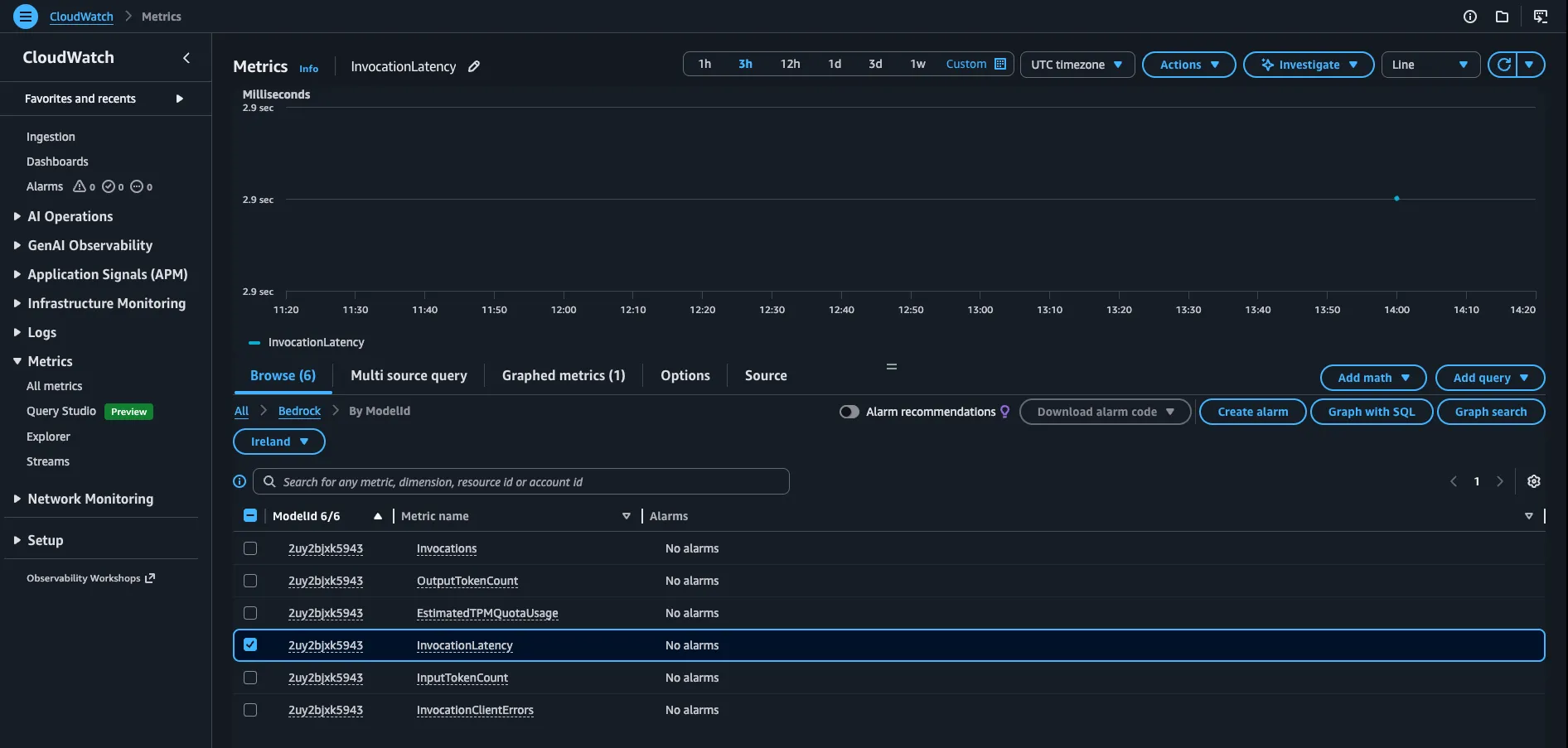
If you tried out the agent in the previous section, you should have seen some metrics in CloudWatch. The screenshot below from my sandbox account shows a cryptic model ID, which is our inference profile ID. This is not very human-readable, but we’ll fix that in this section with a CloudWatch dashboard that surfaces the metrics worth watching.
The dashboard scopes every widget to the terraform-pr-agent application inference profile via the
ModelId dimension (Bedrock reuses that dimension name for the inference profile ID).
Each metric carries a label override so the legend shows the friendly
profile name rather than the ID or formula. Four widgets in a 2x2 grid:
- Tokens:
InputTokenCountandOutputTokenCount(sum). Your usage and cost driver. - Cache tokens:
CacheReadInputTokenCountandCacheWriteInputTokenCount(sum). Stays at zero - Haiku usage in this post sits below Bedrock’s caching threshold, and we have not opted into prompt caching yet anyway. - Invocations and errors:
InvocationsplusInvocationClientErrors,InvocationServerErrors, andInvocationThrottles(sum). Health at a glance. - Latency (ms):
InvocationLatencyaverage and p99.
Copy the file below and save it as infra/cloudwatch.tf in the project we started, then run terraform apply.
locals { cloudwatch_region = data.aws_region.current.region
dashboard_label = aws_bedrock_inference_profile.agent.name profile_id = aws_bedrock_inference_profile.agent.id}
resource "aws_cloudwatch_dashboard" "agent" { dashboard_name = aws_bedrock_inference_profile.agent.name dashboard_body = jsonencode({ widgets = [ { type = "metric" x = 0 y = 0 width = 12 height = 6 properties = { title = "Tokens" region = local.cloudwatch_region view = "timeSeries" stat = "Sum" period = 60 metrics = [ # here we plug in the labels so this looks nicer ["AWS/Bedrock", "InputTokenCount", "ModelId", local.profile_id, { label = "${local.dashboard_label} / input" }], # the dot syntax allows not to repeat the same as above [".", "OutputTokenCount", ".", ".", { label = "${local.dashboard_label} / output" }], ]69 collapsed lines
} }, { type = "metric" x = 12 y = 0 width = 12 height = 6 properties = { title = "Cache tokens" region = local.cloudwatch_region view = "timeSeries" stat = "Sum" period = 60 metrics = [ ["AWS/Bedrock", "CacheReadInputTokenCount", "ModelId", local.profile_id, { label = "${local.dashboard_label} / cache read" }], [".", "CacheWriteInputTokenCount", ".", ".", { label = "${local.dashboard_label} / cache write" }], ] } }, { type = "metric" x = 0 y = 6 width = 12 height = 6 properties = { title = "Invocations and errors" region = local.cloudwatch_region view = "timeSeries" stat = "Sum" period = 60 metrics = [ ["AWS/Bedrock", "Invocations", "ModelId", local.profile_id, { label = "${local.dashboard_label} / invocations" }], [".", "InvocationClientErrors", ".", ".", { label = "${local.dashboard_label} / 4xx" }], [".", "InvocationServerErrors", ".", ".", { label = "${local.dashboard_label} / 5xx" }], [".", "InvocationThrottles", ".", ".", { label = "${local.dashboard_label} / throttles" }], ] } }, { type = "metric" x = 12 y = 6 width = 12 height = 6 properties = { title = "Latency (ms)" region = local.cloudwatch_region view = "timeSeries" period = 60 metrics = [ ["AWS/Bedrock", "InvocationLatency", "ModelId", local.profile_id, { label = "${local.dashboard_label} / avg", stat = "Average" }], [".", ".", ".", ".", { label = "${local.dashboard_label} / p99", stat = "p99" }], ] } }, ] })}
output "cloudwatch_dashboard_url" { value = format( "https://%s.console.aws.amazon.com/cloudwatch/home?region=%s#dashboards/dashboard/%s", local.cloudwatch_region, local.cloudwatch_region, aws_cloudwatch_dashboard.agent.dashboard_name, )}After terraform apply, the cloudwatch_dashboard_url output points straight at the new dashboard.
Daily token threshold alarm#
You can copy the file below into infra/alerts.tf and run terraform apply to create an alarm that will yell
when the token usage exceeds a daily threshold.
# alias/aws/sns is the AWS-managed SNS key; a CMK is unnecessary for an# operational alarm topic that publishes alarm-fired events, not audit data.#trivy:ignore:avd-aws-0136resource "aws_sns_topic" "agent_alerts" { name = "terraform-pr-agent-alerts" kms_master_key_id = "alias/aws/sns"}
# The subscription stays PENDING until the recipient clicks the AWS# confirmation email. Alarms fire either way, but no email goes out until the# subscription is confirmed.resource "aws_sns_topic_subscription" "agent_alerts_email" { topic_arn = aws_sns_topic.agent_alerts.arn protocol = "email" endpoint = var.alert_email}
resource "aws_cloudwatch_metric_alarm" "daily_tokens" { alarm_name = "${aws_bedrock_inference_profile.agent.name}-daily-tokens" alarm_description = "Daily input + output token usage for the agent inference profile exceeded the configured threshold." comparison_operator = "GreaterThanThreshold" evaluation_periods = 1 threshold = var.daily_token_alarm_threshold treat_missing_data = "notBreaching"
metric_query { id = "total" expression = "input + output" label = "Total tokens (input + output)" return_data = true }
metric_query { id = "input" metric { namespace = "AWS/Bedrock" metric_name = "InputTokenCount" dimensions = { ModelId = local.profile_id } stat = "Sum" period = 86400 } }
metric_query { id = "output" metric { namespace = "AWS/Bedrock" metric_name = "OutputTokenCount" dimensions = { ModelId = local.profile_id } stat = "Sum" period = 86400 } }
alarm_actions = [aws_sns_topic.agent_alerts.arn]}Before terraform apply, set TF_VAR_alert_email in .envrc.local so the SNS subscription has somewhere to
send. The block is already in the template, just uncomment it and run direnv reload:
# Email subscribed to the alarms SNS topic. Required by infra/alerts.tf.# Set before `terraform apply`; AWS sends a confirmation email that must be# clicked before alarms can deliver.# export [email protected]This wires up a plain email SNS subscription. In production you would point the alarm at PagerDuty or incident.io
so someone is actually paged. AWS sends a confirmation email on first apply, and the subscription stays
PendingConfirmation until you click the link. The alarm itself fires regardless, but no email leaves SNS until
that confirmation is in.
# alias/aws/sns is the AWS-managed SNS key; a CMK is unnecessary for an# operational alarm topic that publishes alarm-fired events, not audit data.#trivy:ignore:avd-aws-0136resource "aws_sns_topic" "agent_alerts" { name = "terraform-pr-agent-alerts" kms_master_key_id = "alias/aws/sns"}
# The subscription stays PENDING until the recipient clicks the AWS# confirmation email. Alarms fire either way, but no email goes out until the# subscription is confirmed.resource "aws_sns_topic_subscription" "agent_alerts_email" { topic_arn = aws_sns_topic.agent_alerts.arn protocol = "email" endpoint = var.alert_email}The alarm sums daily input and output tokens. Output tokens are more expensive, so you could weight them higher in the expression, or compute a dollar cost that also folds in cache read/write.
resource "aws_cloudwatch_metric_alarm" "daily_tokens" { alarm_name = "${aws_bedrock_inference_profile.agent.name}-daily-tokens" alarm_description = "Daily input + output token usage for the agent inference profile exceeded the configured threshold." comparison_operator = "GreaterThanThreshold" evaluation_periods = 1 threshold = var.daily_token_alarm_threshold treat_missing_data = "notBreaching"
metric_query { id = "total" expression = "input + output" label = "Total tokens (input + output)" return_data = true }
metric_query { id = "input" metric { namespace = "AWS/Bedrock" metric_name = "InputTokenCount" dimensions = { ModelId = local.profile_id } stat = "Sum" period = 86400 } }
metric_query { id = "output" metric { namespace = "AWS/Bedrock" metric_name = "OutputTokenCount" dimensions = { ModelId = local.profile_id } stat = "Sum" period = 86400 } }
alarm_actions = [aws_sns_topic.agent_alerts.arn]}End state#
A pydantic-ai agent talking to Claude on Bedrock, a live dashboard showing token usage, and an alarm armed to yell when daily spend creeps up. Every later post in the series leans on this baseline.
Coming next: an audit trail for the agent.